
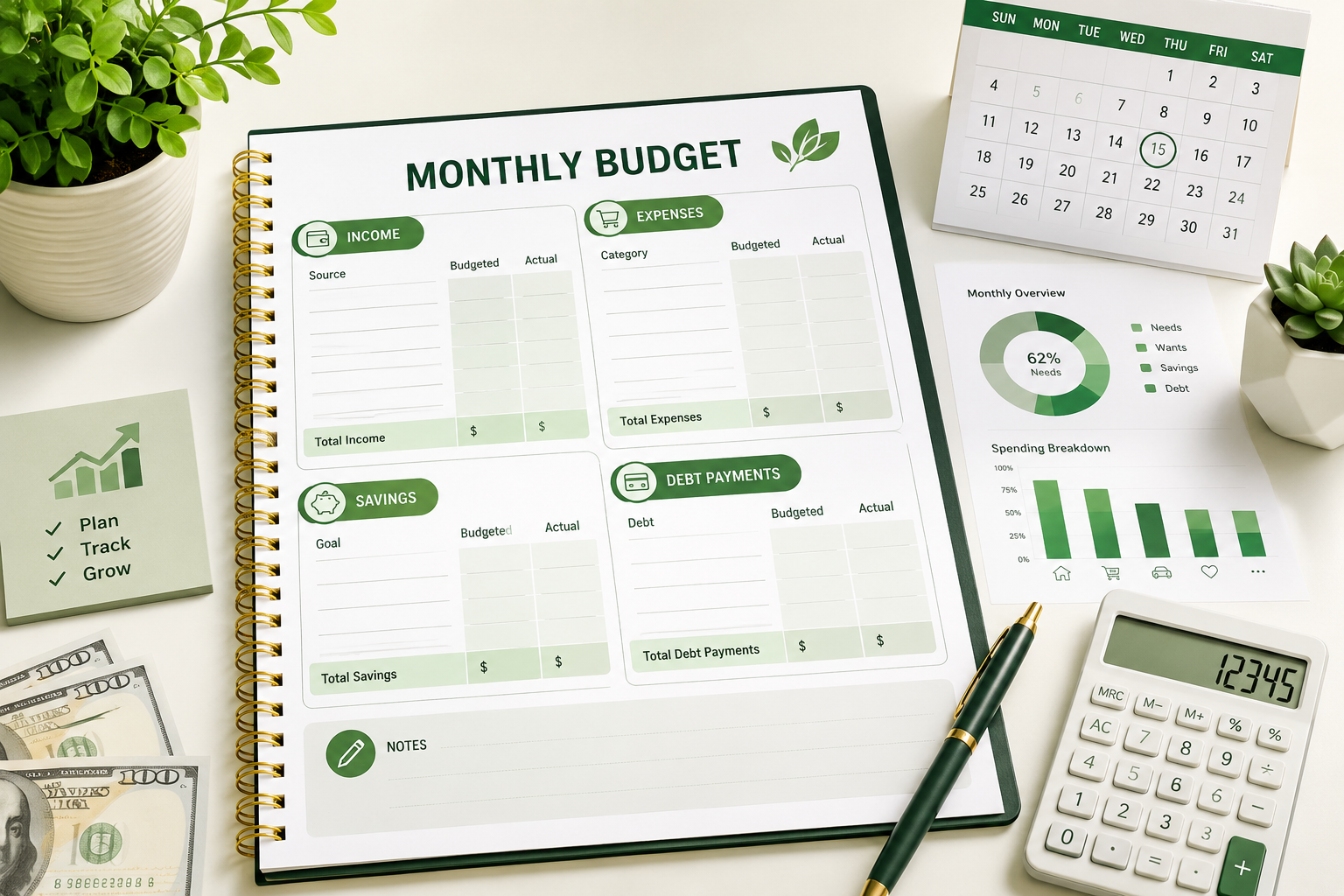
A monthly budget template is a simple tool for tracking income, expenses, savings, and leftover money each month. A useful template lists all income sources, fixed expenses, variable expenses, savings goals, and debt payments so a person can compare planned spending with actual spending and adjust the budget before money runs out.
Introduction
A monthly budget template makes budgeting easier because it turns income and expenses into a clear monthly system. Instead of guessing where money went, a person can use a budget template to see what came in, what went out, and what needs to change.
Many people search for a monthly budget template because they want a simple way to organize money without building a complicated spreadsheet from zero. A monthly budget planner can work in a notebook, Excel, Google Sheets, or a budgeting app. The format matters less than the habit of updating the numbers honestly.
This guide explains what a monthly budget template is, how to create a monthly budget, what categories to include, how to use an Excel budget template or Google Sheets budget template, and how to track income, expenses, and savings each month.
What Is a Monthly Budget Template?
A monthly budget template is a structured form that helps you plan and track money for one month. The template usually includes income, fixed expenses, variable expenses, savings, debt payments, and a final balance.
The main purpose of a monthly budget template is to show whether monthly income is enough to cover monthly spending. A good template also shows whether spending supports savings goals, debt repayment, and financial priorities.
Monthly budget template meaning
| Budget Section | What It Tracks | Why It Matters |
|---|---|---|
| Income | Money received during the month. | Income sets the limit for spending, saving, and debt payments. |
| Fixed expenses | Bills that are usually the same each month. | Fixed expenses show the base cost of normal life. |
| Variable expenses | Costs that change from month to month. | Variable expenses are often where spending can be adjusted. |
| Savings | Money set aside for future needs or goals. | Savings turn a budget into a financial progress tool. |
| Debt payments | Payments toward credit cards, loans, or other balances. | Debt payments reduce liabilities and protect cash flow over time. |
A monthly budget template works best when it supports a complete personal budget that includes income, expenses, savings, debt payments, and realistic spending limits.
Why Use a Monthly Budget Template?
A monthly budget template helps organize money before the month gets out of control. Without a template, it is easy to underestimate small purchases, forget irregular bills, or assume there will be more leftover money than there really is.
A budget template gives every major money category a place. This makes the budget easier to review and easier to adjust when income, bills, or goals change.
Main benefits of a monthly budget template
- A monthly budget template shows total income for the month.
- A monthly budget template separates fixed expenses from variable expenses.
- A monthly budget template helps track monthly expenses before they become confusing.
- A monthly budget template makes savings goals more visible.
- A monthly budget template shows whether spending is higher than income.
- A monthly budget template helps compare planned spending with actual spending.
- A monthly budget template can reduce forgotten bills and surprise cash shortages.
Simple Monthly Budget Template Structure
A simple monthly budget template should not be overloaded. The best beginner template includes only the categories needed to understand income, expenses, savings, debt, and remaining money.
A template that is too detailed can become hard to maintain. A template that is too vague can hide spending problems. The goal is to create enough detail to make decisions without making budgeting feel like a second job.
Basic monthly budget template layout
| Section | Category Example | Planned Amount | Actual Amount | Difference |
|---|---|---|---|---|
| Income | Paycheck | $3,500 | $3,500 | $0 |
| Fixed expense | Rent or mortgage | $1,200 | $1,200 | $0 |
| Variable expense | Groceries | $450 | $520 | -$70 |
| Savings | Emergency fund | $250 | $250 | $0 |
| Debt payment | Credit card payment | $150 | $150 | $0 |
How to Create a Monthly Budget
To create a monthly budget, start with monthly income, list all expected expenses, include savings and debt payments, subtract total planned spending from total income, and adjust categories until the budget works.
Step-by-step monthly budget process
- Choose the month. A budget should be built for a specific month because bills, income, and expenses can change.
- List all income sources. Include paychecks, freelance income, benefits, side income, and other reliable money.
- List fixed expenses. Add rent, mortgage, insurance, subscriptions, loan payments, and other regular bills.
- List variable expenses. Add groceries, transportation, utilities, personal spending, household items, and medical costs.
- Add savings goals. Include emergency savings, sinking funds, planned purchases, or other savings goals.
- Add debt payments. Include minimum payments and any extra debt payoff amount.
- Compare income and spending. Subtract total expenses, savings, and debt payments from total income.
- Adjust before the month starts. Reduce or move categories if the plan is unrealistic.
- Track actual spending during the month. Update the budget weekly or after each major transaction.
- Review the month after it ends. Use the results to improve next month’s budget.
Monthly Budget Categories to Include
A monthly budget planner works better when categories match real life. Most people need categories for housing, utilities, food, transportation, insurance, debt, savings, personal spending, and irregular expenses.
The category names do not need to be perfect. The important part is that each major spending area has a place in the budget.
Including savings as a planned category can make saving money easier because the money is assigned before it disappears into everyday spending.
Common monthly budget categories
| Category Group | Examples | Budgeting Note |
|---|---|---|
| Income | Paycheck, freelance income, side income, benefits. | Use reliable take-home income, not hoped-for income. |
| Housing | Rent, mortgage, property tax, maintenance. | Housing is often one of the largest fixed expenses. |
| Utilities | Electricity, water, gas, internet, phone. | Utility costs may change by season. |
| Food | Groceries, dining out, coffee, snacks. | Food spending often needs weekly tracking. |
| Transportation | Gas, public transit, parking, car payment, repairs. | Vehicle repairs should be planned before they happen. |
| Insurance | Health, auto, renters, homeowners, life insurance. | Annual premiums can be divided into monthly amounts. |
| Debt | Credit cards, personal loans, student loans, car loans. | Minimum payments and extra payments should be separated. |
| Savings | Emergency fund, vacation fund, home repair fund. | Savings should be treated like a planned category. |
| Personal spending | Clothing, hobbies, entertainment, gifts. | Personal spending is easier to control when it has a limit. |
Income and Expenses Template
An income and expenses template is the core of a monthly budget template. The income section shows how much money is available. The expenses section shows where that money is expected to go.
A useful income and expenses template should separate planned numbers from actual numbers. This makes the template more than a forecast. It becomes a monthly review tool.
Income and expenses template example
| Budget Line | Planned Amount | Actual Amount | Difference |
|---|---|---|---|
| Total income | $4,000 | $4,000 | $0 |
| Housing | $1,250 | $1,250 | $0 |
| Utilities | $280 | $315 | -$35 |
| Food | $550 | $625 | -$75 |
| Transportation | $350 | $330 | $20 |
| Savings | $400 | $400 | $0 |
| Debt payments | $300 | $300 | $0 |
| Other spending | $500 | $575 | -$75 |
| Leftover money | $370 | $205 | -$165 |
Monthly Expenses Template
A monthly expenses template focuses on spending categories. This type of template is useful when a person already knows income but needs better control over where money goes.
Monthly expenses should be grouped in a way that makes decisions easier. For example, separating groceries from dining out can show whether food spending is caused by necessities, convenience, or habits.
Monthly expenses template example
| Expense Category | Fixed or Variable | Planned Amount | Actual Amount | Action Needed? |
|---|---|---|---|---|
| Rent or mortgage | Fixed | $1,200 | $1,200 | No |
| Electricity | Variable | $120 | $155 | Review usage |
| Groceries | Variable | $450 | $520 | Adjust meal plan |
| Dining out | Variable | $150 | $230 | Reduce next month |
| Subscriptions | Fixed | $65 | $85 | Cancel unused service |
Monthly Budget Template Excel
A monthly budget template Excel file can be useful because Excel can calculate totals, differences, and category percentages automatically. Excel is a good choice for people who want more control over formulas and formatting.
An Excel budget template can include tabs for each month, a yearly summary, category totals, charts, and planned-versus-actual spending. Beginners do not need every feature immediately. A simple Excel budget template with income, expenses, savings, and totals is enough to start.
Useful Excel budget template columns
| Column | Purpose | Example Entry |
|---|---|---|
| Date | Shows when the transaction happened. | January 5 |
| Category | Groups the transaction by spending type. | Groceries |
| Description | Explains the transaction. | Weekly grocery trip |
| Planned amount | Shows the original budget number. | $450 |
| Actual amount | Shows the real amount spent or received. | $520 |
| Difference | Shows whether the budget line is over or under plan. | -$70 |
Monthly Budget Template Google Sheets
A monthly budget template Google Sheets file can be useful because it is easy to update from different devices and share with a partner or household member. Google Sheets also supports formulas, filters, charts, and duplicate monthly tabs.
A Google Sheets budget template is especially useful for people who want a cloud-based monthly budget planner. The template can be updated after purchases, bill payments, or paycheck deposits.
Excel vs Google Sheets for monthly budgeting
| Feature | Excel Budget Template | Google Sheets Budget Template |
|---|---|---|
| Access | Works well on a computer and can be saved locally. | Works well across devices with internet access. |
| Sharing | Can be shared as a file. | Easy to share and edit with another person. |
| Formulas | Strong formula and formatting options. | Strong enough for most personal budget templates. |
| Best for | People who prefer detailed control and offline files. | People who want easy access and collaboration. |
Budget Planner vs Budget Template
A budget planner and a budget template are closely related, but they are not always the same. A budget template is usually a structured table or spreadsheet. A budget planner may include goals, notes, calendars, habit trackers, and monthly reviews.
A monthly budget planner can be more useful than a basic template when a person wants to connect money decisions with goals, bill due dates, and spending habits.
Budget planner and budget template compared
| Tool | Main Purpose | Best For |
|---|---|---|
| Budget template | Tracks numbers such as income, expenses, savings, and debt. | People who need a simple monthly structure. |
| Budget planner | Combines numbers with goals, due dates, notes, and reviews. | People who want a full monthly money management system. |
| Budget planner template | Provides a reusable planning layout for each month. | People who want consistency without rebuilding the budget each month. |
Personal Budget Template
A personal budget template is a budget template designed for one person’s income, expenses, savings, and financial goals. It is different from a business budget because it focuses on household bills, personal spending, savings goals, and debt payments.
A personal budget template should reflect real behavior. If a person regularly spends money on transportation, subscriptions, gifts, or medical costs, those categories should appear in the template.
Personal budget template example
| Personal Budget Section | Monthly Target | Tracking Question |
|---|---|---|
| Income | $4,000 | How much money is available this month? |
| Needs | $2,300 | Are essential expenses covered? |
| Wants | $700 | Is flexible spending under control? |
| Savings | $500 | Is money being set aside before it gets spent? |
| Debt payoff | $300 | Are balances moving down over time? |
| Buffer | $200 | Is there room for small surprises? |
How to Use a Monthly Budget Planner
A monthly budget planner works best when it is updated before, during, and after the month. The budget should not be created once and ignored. A useful budget planner becomes a small monthly routine.
Monthly budget planner routine
- Before the month starts: estimate income, bills, savings, debt payments, and expected variable expenses.
- During the month: record actual spending and compare it with the planned amount.
- Mid-month: adjust flexible categories if one area is higher than expected.
- End of month: compare planned spending with actual spending.
- Next month: use the results to set more realistic category amounts.
A monthly budget planner is most useful when it supports a larger personal financial plan that includes savings, debt, goals, and long-term money decisions.
Planned Spending vs Actual Spending
Planned spending is what you expect to spend before the month starts. Actual spending is what you really spend during the month. The difference between planned and actual spending is one of the most useful parts of a monthly budget template.
A budget does not fail just because actual spending is different from planned spending. The difference gives useful information. If groceries, utilities, or transportation are higher every month, the planned amount may need to change.
Planned vs actual example
| Category | Planned Spending | Actual Spending | What the Difference Means |
|---|---|---|---|
| Groceries | $450 | $520 | The grocery budget may be too low or shopping habits may need review. |
| Dining out | $150 | $230 | Flexible spending may need a clearer limit. |
| Utilities | $250 | $310 | Seasonal changes or usage may need to be considered. |
| Savings | $400 | $200 | Spending may be crowding out savings. |
How to Make a Monthly Budget More Realistic
For beginners who need a simple starting point, the 50 30 20 rule can help compare needs, wants, and savings before building a more detailed monthly budget.
A monthly budget becomes realistic when it uses real numbers instead of ideal numbers. If a category is always over budget, the template should be adjusted or the behavior behind the category should be changed.
Ways to make a monthly budget realistic
- Use take-home income instead of gross income.
- Review bank and card statements before setting category limits.
- Include irregular expenses such as gifts, car repairs, annual fees, and medical costs.
- Separate groceries from dining out to see food spending clearly.
- Add a small buffer category for minor surprises.
- Update actual spending at least once per week.
- Adjust the next month based on what actually happened this month.
If the same categories are over budget every month, reviewing ways to reduce household expenses can help make the monthly budget more realistic.
Common Monthly Budget Template Mistakes
A monthly budget template can fail if the numbers are incomplete, unrealistic, or not updated. Many budget problems come from missing categories rather than bad math.
Common mistakes include:
- Using gross income instead of take-home income.
- Forgetting annual or irregular expenses.
- Mixing savings with leftover money instead of planning savings first.
- Setting grocery or transportation limits too low.
- Ignoring small subscriptions and recurring charges.
- Not tracking actual spending during the month.
- Using too many categories and making the template hard to maintain.
- Copying a template that does not match real life.
Pepe The Toad’s Practical Note: A Budget Template Should Reveal Decisions
A monthly budget template is not useful because it looks organized. A monthly budget template is useful because it reveals decisions. The template should show where money is going, which categories are flexible, and which habits are blocking savings or debt payoff.
The best budget template is not always the most detailed spreadsheet. The best budget template is the one that gets updated consistently and helps a person make better decisions before the month runs out.
If a budget template creates guilt but does not create clarity, the template needs to be simplified. Budgeting should make money easier to manage, not harder to face.
Monthly Budget Template Checklist
- The monthly budget template includes all reliable income sources.
- The monthly budget template uses take-home income.
- The monthly budget template separates fixed expenses and variable expenses.
- The monthly budget template includes savings goals.
- The monthly budget template includes debt payments.
- The monthly budget template includes irregular expenses.
- The monthly budget template compares planned spending with actual spending.
- The monthly budget template has a leftover money or buffer line.
- The monthly budget template is updated during the month.
- The monthly budget template is reviewed before building next month’s budget.
Frequently Asked Questions
What is a monthly budget template?
A monthly budget template is a structured tool for planning and tracking income, expenses, savings, and debt payments for one month. It helps compare planned spending with actual spending.
How do I create a monthly budget?
To create a monthly budget, list monthly income, list fixed expenses, list variable expenses, add savings goals, add debt payments, subtract total planned spending from income, and adjust the budget until the numbers are realistic.
What should be included in a monthly budget template?
A monthly budget template should include income, housing, utilities, food, transportation, insurance, debt payments, savings goals, personal spending, irregular expenses, and a final balance or buffer.
Is Excel good for a monthly budget template?
Excel can work well for a monthly budget template because it can calculate totals, category differences, and planned-versus-actual spending. Excel is useful for people who want control over formulas and formatting.
Is Google Sheets good for a monthly budget template?
Google Sheets can work well for a monthly budget template because it is cloud-based, easy to update from multiple devices, and simple to share with another person if budgeting is done as a household.
What is the difference between a budget template and a budget planner?
A budget template usually tracks numbers such as income, expenses, savings, and debt. A budget planner may also include goals, bill due dates, notes, spending reviews, and monthly planning pages.
What is an income and expenses template?
An income and expenses template is a table or spreadsheet that lists money received and money spent. It is the core of most monthly budget templates because it shows whether income covers expenses.
What is a monthly expenses template?
A monthly expenses template is a tool for tracking spending categories during one month. It helps identify where money goes and which categories need adjustment.
How often should I update a monthly budget planner?
A monthly budget planner should usually be updated at least weekly. Weekly updates make it easier to catch overspending before the end of the month.
Why does my monthly budget not work?
A monthly budget may not work if it uses unrealistic numbers, ignores irregular expenses, forgets small recurring charges, uses gross income instead of take-home income, or is not updated during the month.
Conclusion
A monthly budget template is one of the simplest tools for managing income, expenses, savings, and debt. The template works because it makes monthly money decisions visible.
A useful monthly budget template does not need to be complicated. It needs clear categories, realistic numbers, planned and actual spending columns, and a regular review habit. When the template is updated consistently, it can help a person spend with more control, save with more intention, and make better financial decisions month after month.